Laugenbrez’n (Pretzel) with Three-Flour Sourdough

I have frequently been baking Pretzels for about 3 years now. The recipes I use have evolved over the years. Now I am pretty happy with the variants that are hitting our breakfast table every couple of days. My daughter loves them! So I am sharing the first out of three with you today.

Shake the flour through a strainer, add all the ingredients and knead a dough. Knead for five minutes on the lowest setting, rest five minutes and then knead another five minutes on a higher setting. Let the dough rise in a resting basket for at least 30 minutes.

Hand-knead the dough into a long shape and cut it into 100g (3.5 oz) portions. Then roll it into Pretzels twists, bread rolls, buns or pigtail shape.

Let the Pretzels rest for one to two hours. Then put them into the Sodium-Hydroxide solution for 5 to 10 seconds, shake the excess solution off and sit them onto a baking sheet. Skimmers and strainers make that process easier.

Sprinkle the Pretzels with salt.

Preheat the oven to 420 degrees Fahrenheit and bake them for 15 minutes. Then turn the oven off and let the pretzel sit in the oven for another 5 minutes.

Ingredients

References

Laugenstanden (Ploetzblog)

Dreikornbrezel (Ploetzblog)

Three-flour sourdough

This slideshow requires JavaScript.

Three-Flour Sourdough

My daily-use sourdough for making Laugenbrez’n (Pretzels), Brötchen (Buns) and Langsemmeln (Long bread rolls) as well as all kind of lighter breads consists of three kinds of flours: Spelt, Wheat and Rye flour.

It is simple to make and lasts forever if it is fed every morning. The feeding process became part of my morning routine.

In a high container (preferably a sourdough a pickling crock, but a plastic container will do just fine) combine all three flours, add water and a knife tip of active dry yeast and stir. You can start with any amount, simply multiply. The proportion of Rye:Spelt:Wheat regarding weight is 1:2:2 for the flour and total flour:water 1:1.4. The amounts I start with are listed at the bottom. Fresh yeast (1g) would be preferred over active dry yeast, but I had a hard time finding it in the US and over time I got better at the converting required amounts of fresh yeast to active dry yeast.

Put the lid on top, but leaving a small gap so that it is not completely sealed. You could also just cover it with a wet cotton kitchen towel. I store mine in a kitchen cabinet. After 24 hours feed the dough with flour in the same proportion and add fresh water. Water:Flour weight proportion is now 1:1. Repeat every 24 hours. The amount you add to feed the dough depends on how much you are going to use it. If you feed the dough always the same amount you started with you will be baking frequently!

After the first day you should observe small bubbles on top of the dough should start observing bubbles on the top of the sourdough and a light sour smell.

Starting from day four you are ready to use the dough. It should have a nice sour smell and a creamy consistency.

Ingredients (Start)

  • 10g (0.35 ounces) of Rye flour
  • 20g (0.7 ounces) of Spelt flour
  • 20g (0.7 ounces) of Wheat flour
  • 70g (2.5) of Water
  • Knife-tip of active dry yeast

Ingredients (Feeding)

  • 10g (0.35 ounces) of Rye flour
  • 20g (0.7 ounces) of Spelt flour
  • 20g (0.7 ounces) of Wheat flour
  • 50g (2.5 ounces) of Water

Indoor Herb Garden

I was looking for an indoor herb garden solution that does not take up to much space. And I also wanted the option to move it to the garden in spring or summer. I checked out various options, for example this Vertical Garden. It looks fantastic, but it has a high price point and a large footprint.

So I ended up buying with this stackable solution. It’s affordable and made in the USA. There are two color options. Hunter green is a bit prettier, but the stone colored one allows me to label what I planted on the pot with a dry erase pen.

I added a herb seed kit and a seed starter.

Everything arrived faster than expected so after I picked up my daughter from daycare we went to home depot to get some herb and vegetable soil. We were lucky and got a great deal ($2.30 instead of $12 a pack) so we got a few since we plan to plant mint in a few days, too. Fall/Winter is a good time to purchase these things.

So we were good to go…

Great little helper
Planting the seeds
And now: Waiting!

Bierstadt Trail – Rocky Mountain National Park

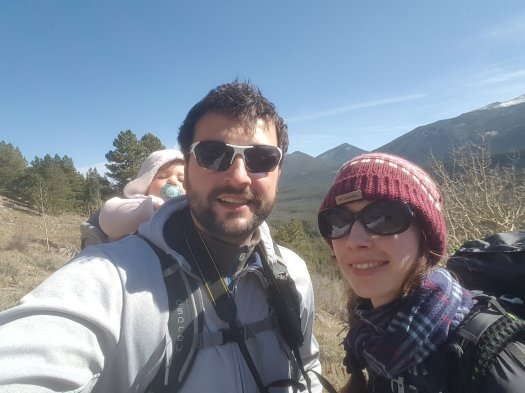
Yesterday we hiked the Bierstadt Trail at the Rocky Mountain National Park. It is an about 5 km long loop trail with an elevation gain of 200 meters.

The elevation starts right and at the beginning and is there-and-back. Once you climbed up the 200 meters there is an even loop trail on the plateau around Bierstadt lake.

Here’s a screenshot from AllTrails.

You’ll find the most amazing view.

Hiking & board games @Yosemite

Last weekend we visited Yosemite National Park. What a great place to hike. Of course we brought some board games. I just wanted to share some advice and impressions.
20151107_100252

  • If you drive to Yosemite from San Francisco International Airport, a great place to stay is Yosemite Gold Country Lodge in Coulterville. This place is run by Ken, a really nice guy who invited us to his farm. The rooms are spacious, feature a fireplace (gas) and a fridge. Outside there is a grill. So you can get some meat from the store and have a BBQ at night.
    20151107_085418 20151107_085423 20151106_181636 20151109_110347 20151109_111625
  • From there it only takes about one hour to get to the entrance of Yosemite and about two hours to get to the trails. Probably longer due to taking pictures along the road.
    DSC_0093-002 DSC_0131-002 DSC_0127-002  DSC_0188-002
  • Hotels inside the park are expensive. But you can get a heated tent at a reasonable price at Camp Curry. But be prepared: It can be quite cold in November! But you wake up to an amazing view.
    DSC_0785 DSC_0714 DSC_0709 20151109_070719 20151109_065112 20151109_065108
  • Just right outside the park, at El Portal, there are a few Hotels where one can get a deal through Expedia. We stayed at the Cedar Lodge. But: No free Wifi, , no coffee, etc. But the rooms are ok. However, the food at this place is supposed to be pretty bad if you believe TripAdvisor ratings. It was supposed to be better at next to the hotel Yosemite View Lodge: The River Restaurant & Lounge. So this is where we went. The salad bar was great. Lynns Burger was burned (really totally black) at their first try, but she sent it back and got a good one quickly.
    DSC_0142-002
  • Getting food (some cheese, bread, juice and milk) for the hike at a local grocery store is probably the best option.
    DSC_0344-001 DSC_0348-001 20151108_094334 20151108_094326
  • Some of the hiking trails are paved with asphalt to be accessible for everybody. Some are a bit more difficult and go into the wilderness. The best way to select one that suits your skills is the Chimani Yosemite App. It is available for Android and iOS. They also have an app that features all National Parks in the USA. I really recommend getting it! The links point to the Android version in the Google Play Store since I do not have any iOS devices.DSC_0251-001 DSC_0270-002
    DSC_0255-002 DSC_0327-002
  • Wildlife in Yosemite Valley is not so wild anymore.
    DSC_0166-001 DSC_0763 DSC_0778 DSC_0801
  • Bringing some games along is a must for every board game fanatic! It is just a lot of fun playing in such a great environment. This time we brought Tash Kalar: Arena of Legends by Vlaada Chvátil (Czech Games Edition), Tiny Epic Galaxies by Scott Almes (Gamelyn Games) and Star Realms by Robert Dougherty and Darwin Kastle (White Wizard Games). All of theses games are very portable. For Tash Kalar I just carry the game board, cards and chips. Tiny Epic is tiny anyway and Star Realms is just a deck of cards.
    DSC_0536 DSC_0543 DSC_0564 DSC_0572 DSC_0567 DSC_0577 DSC_0292-002 DSC_0560 DSC_0556 DSC_0421-001 DSC_0418-001 DSC_0416-001 DSC_0407-001 DSC_0401-001
  • On the way back to San Francisco we stayed at Ken’s Motel again. Tiny Epic in the hotel room…
    DSC_0932 DSC_0931 DSC_0930  DSC_0928
  • Enjoy!
    DSC_0382-001 DSC_0376-001
    DSC_0522DSC_0520DSC_0519DSC_0518DSC_0517DSC_0516DSC_0515DSC_0383-001DSC_0363-001DSC_0768-001DSC_0798-001DSC_0806DSC_0815DSC_0819DSC_0829DSC_0867DSC_0897DSC_0899DSC_0292

Awesome window manager: Missing icons in Control Center

If you’re running the awesome window manager and are using the gnome-session or gnome-settings-daemon as well as the gnome-control-center you might have noticed it is missing some icons (see screenshot on the right).
This is due to an entry in the “gnome*panel*.desktop” files located in “/usr/share/applications”: 

OnlyShowIn=GNOME;

You can quickly fix this by changing it to:

OnlyShowIn=GNOME;Awesome;

Of course you do not have to do this by hand. Simply use this handy command:

sudo find /usr/share/applications/ -name "gnome*panel*desktop" -print 
 | xargs sudo sed -i 's/OnlyShowIn=GNOME;/OnlyShowIn=GNOME;Awesome;/g'

Python 3.4 and Django on Ubuntu 13.10

Why bother about Python versions? 

I recently started a new project creating a web application. As I have a lot of Python programming experience I chose Python with Django over Ruby on Rails. At the beginning of a new project I prefer using the latest versions of the frameworks the application will depend on. Starting now with Python 2.7 would mean that sooner or later there would be additional work porting the codebase to Python 3. Yesterday, Python 3.4 was released. One of the biggest improvements is that it has pip already included which makes handling virtual environments and installing the latest release of Django really easy.

Building Python from source

The downside is, that Linux distributions do not include the latest Python release yet. Most of them still ship with Python 2.7 as default version. The next Fedora and Ubuntu releases might change that, but for now you need to compile it from source. Luckily that is not a hard task. Go to the download page and grab the latest Python release (recommended if you read the post later and a newer version was released) or past the following command into a terminal.

First make sure you have everything installed to compile Python from source.

sudo apt-get install build-essential

Before downloading create a temporary directory to make the cleanup easier. At the end you can just delete “tmpPython”.

mkdir tmpPython
cd tmpPython
wget --no-check-certificate https://www.python.org/ftp/python/3.4.0/Python-3.4.0.tgz
tar xvf Python-3.4.0.tgz

After the archive is extracted, cd into the source directory. Create a directory to install to, then run configure, build and install.

cd Python-3.4.0
sudo mkdir /opt/Python34
./configure --prefix=/opt/Python34 && make -j4
sudo make install

Now you have Python 3.4 installed on your system.
Add the the path containing the executable to your environment.

export PATH=/opt/Python34/bin:$PATH

Also make sure to add this line to your .bashrc file (or .zshrc if you’re using zsh).

echo "export PATH=/opt/Python3.4/bin:$PATH" >> $HOME/.bashrc

Creating a virtual environment

Go to the directory where you want to create the virtual environment. I recommend /opt if you collaborate with others within the environment (you have to create everything with sudo) or your home directory if you work alone. Then run pyvenv to create it.
pyvenv-3.4 djangoEnv
source djangoEnv/bin/activate

The bash prompt changes to

(djangoEnv) mpei@earth /opt

and that means that you are now within this virtual environment.
This command shows you what you have installed:

pip freeze

Installing Django

Just use pip to install the latest version of Django and its extension:
sudo pip install django django-extensions

And you’re done! You can check the installed versions by running “pip freeze” again. Maybe another blog post on Django and databases? Or the first steps in Django? We’ll see… bye bye!
Organizing C/C++ includes

After starting my new job programming in a big software project I spent some thought on organizing includes and give a recommendation. Here’s what I’ve come up with. As always, some things are obvious, some are not…

  1. You should only include what is necessary to compile the source code. Adding unnecessary
    includes means a longer compilation time, especially in large projects.
  2. Each header and corresponding source file should compile cleanly on its own. That
    means, if you have a source file that includes only the corresponding header, it
    should compile without errors. The header file should include not more
    than what is necessary for that.
  3. Try to use forward declarations as much as possible. If you’re using a
    class, but the header file only deals with pointers/references to
    objects of that class, then there’s no need to include the definition of
    the class. That is what forward declarations are designed for!

    // Forward declaration

    class MyClass;

  4. Note that some system headers might include others. But apart from a few
    exceptions, there is no requirement. So if you need both
    <iostream> and <string> include both, even if you can
    compile only with one of them.
  5. To prevent multiple-inclusions, with loops and all such attendant horrors is having an #ifndef guard.

    #ifndef _FOO_H
    #define _FOO_H
      …contents of header file…
    #endif

  6. The order in which the includes appear (system includes and user includes) is up to the coding standard you follow.
  7. If you have the choice of picking a coding standard regarding the order at the beginning of a new project, I recommend to go from local to global, each
    subsection in alphabetical order. That way you can avoid introducing
    hidden dependencies. If you reverse the order and i.e. myclass.cpp
    includes <string> then <myclass.h>, there is no way to catch
    at build time that myclass.h may itself depend on string. So if later someone includes myclass.h but does not need string, he’ll
    get an error that needs to be fixed either in the cpp or in the header
    itself. 
  8. So the recommended order would be:
    • header file corresponding to its .cpp file
    • headers from the same component
    • headers from other components
    • system headers

If you use the Eclipse IDE (which I highly recommend), you can use a very nice feature that helps you organizing includes (“Source -> Organize Includes”).